Synergy Wizard
Build a listening system around the headphones, amplifier and DAC you actually use.
- Guided hardware matching
- Chain-wide presets
- Output and DSP setup
A hardware-aware listening system that configures your complete chain, corrects headphones, measures the signal and produces evidence you can inspect.
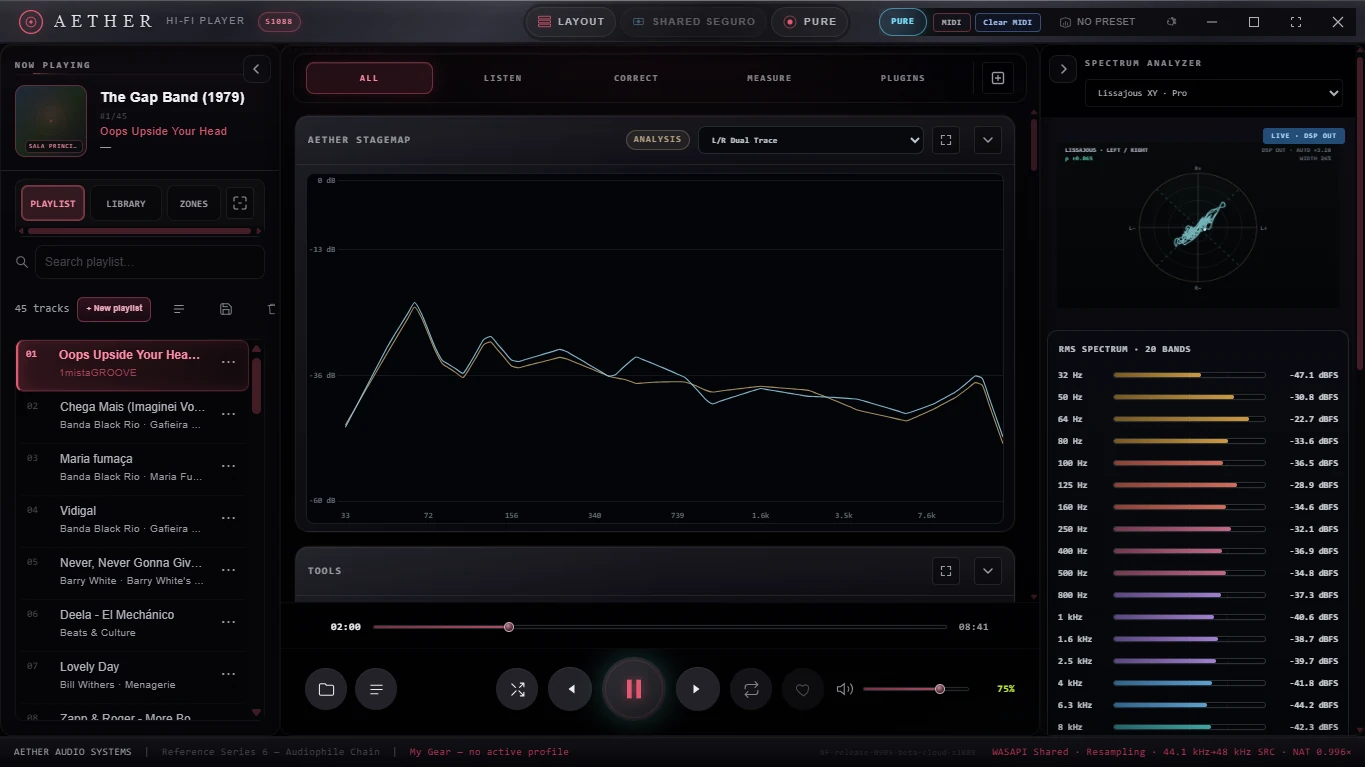 Current beta interface Explore the instruments →
AETHER connects playback, processing, correction and measurement in one continuous workflow. Every active stage remains visible, so sound quality is something you can hear, inspect and understand.
AETHER’s defining systems share the same native signal state. Hardware, DSP, correction, measurement and saved listening environments operate as one chain.
Build a listening system around the headphones, amplifier and DAC you actually use.
Recall the entire listening environment when you return to a device, room or use case.
Inspect what the active chain is doing instead of relying on a decorative quality label.
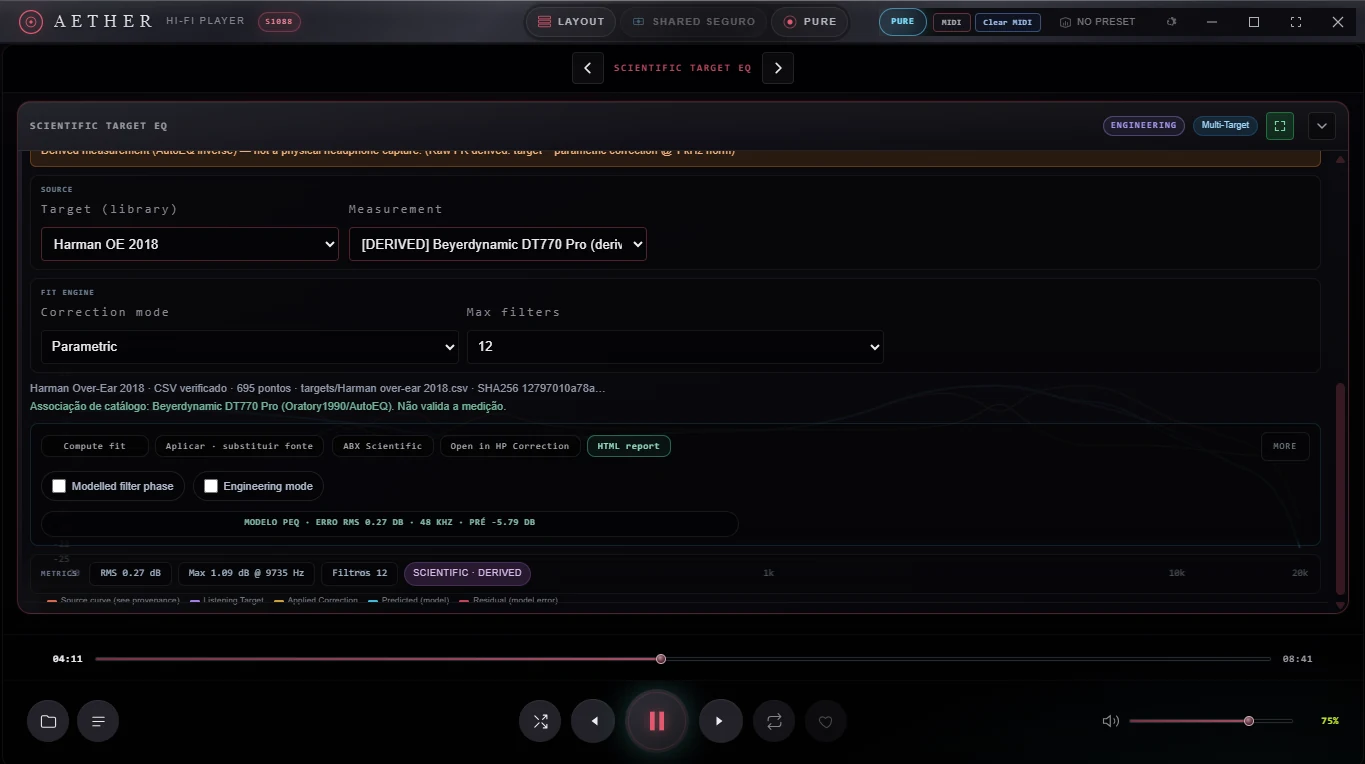
Combine a measured headphone profile with a listening target while keeping each contribution visible.
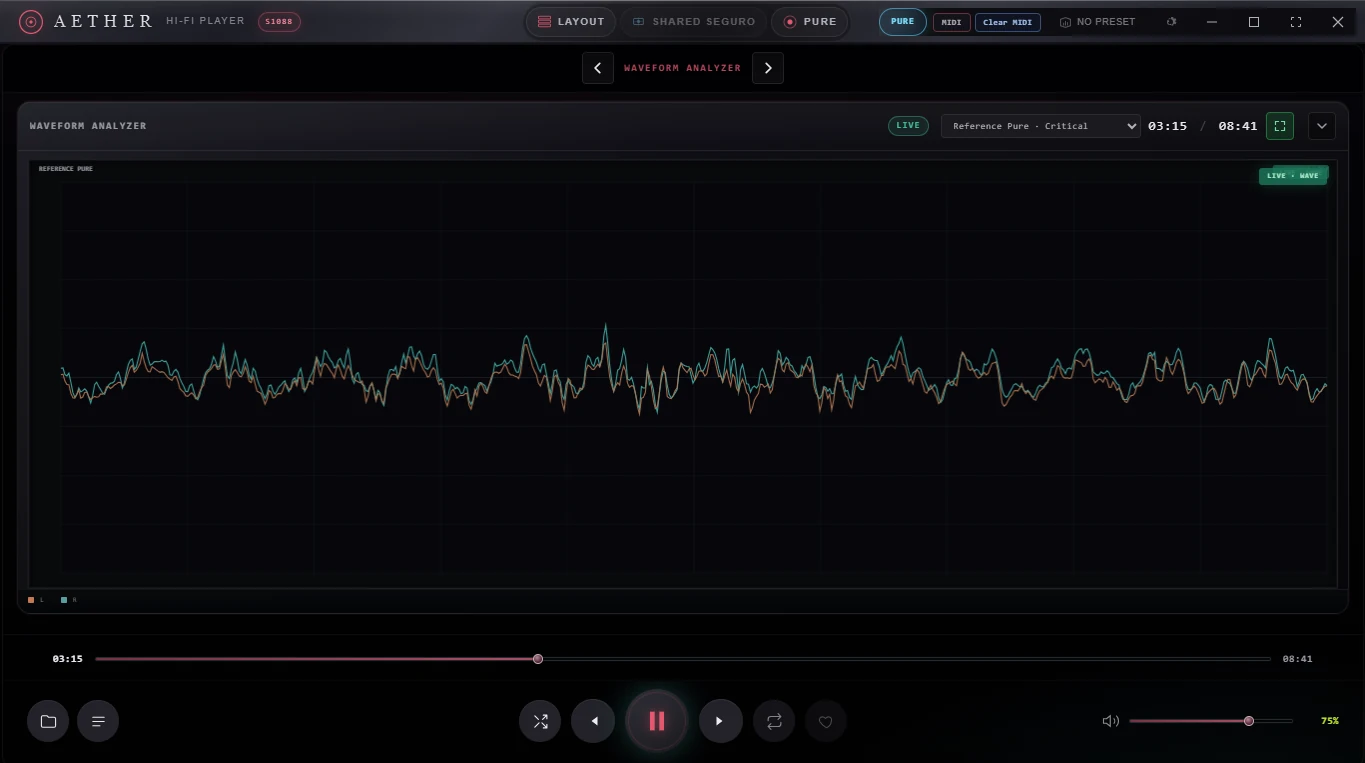
See level, energy, dynamics and stereo behavior through coordinated professional views.
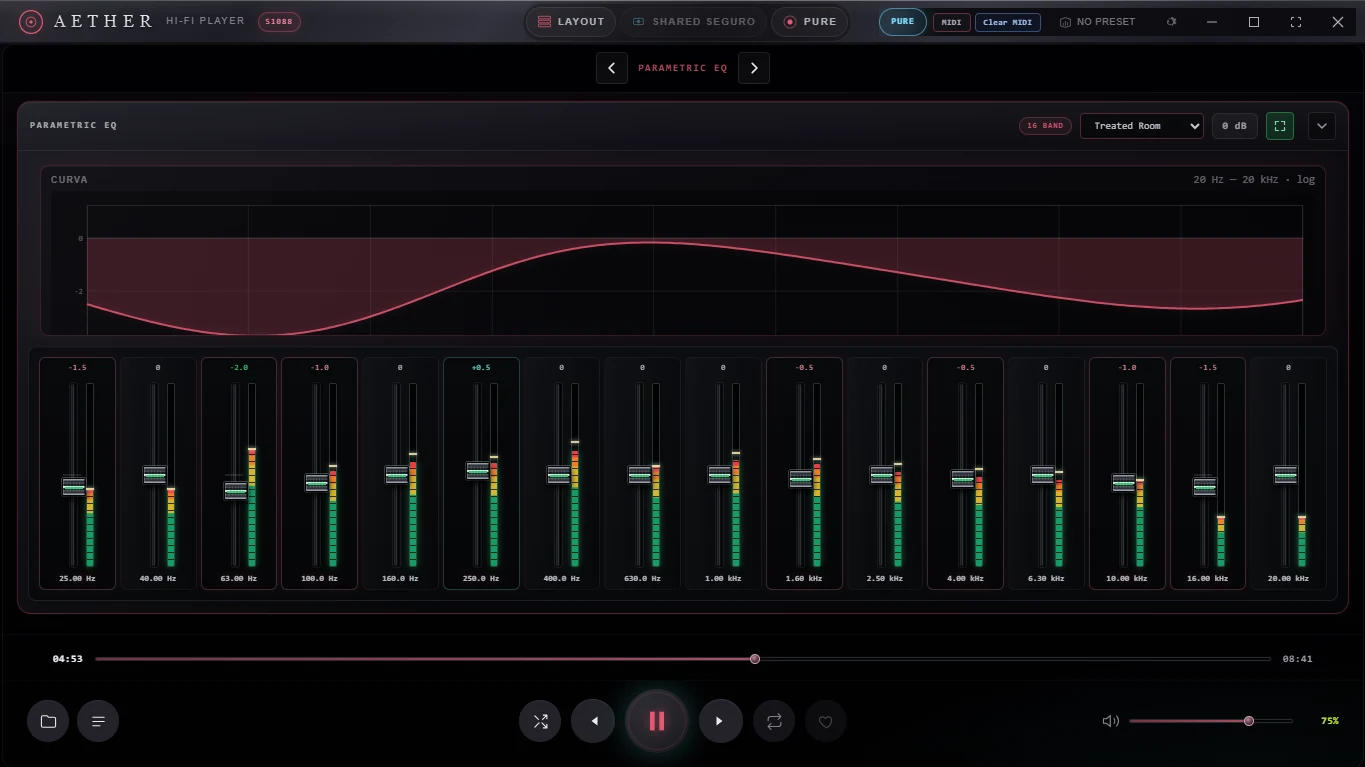
Shape the signal with a visible accumulated response and tactile control over every band.
The preset is larger than an EQ curve. AETHER associates headphones, amplifier, DAC/output, correction, target, parametric EQ, crossfeed, convolution, gain, layout and MIDI mappings with a saved gear profile or zone. Exported presets carry that setup to another AETHER installation.
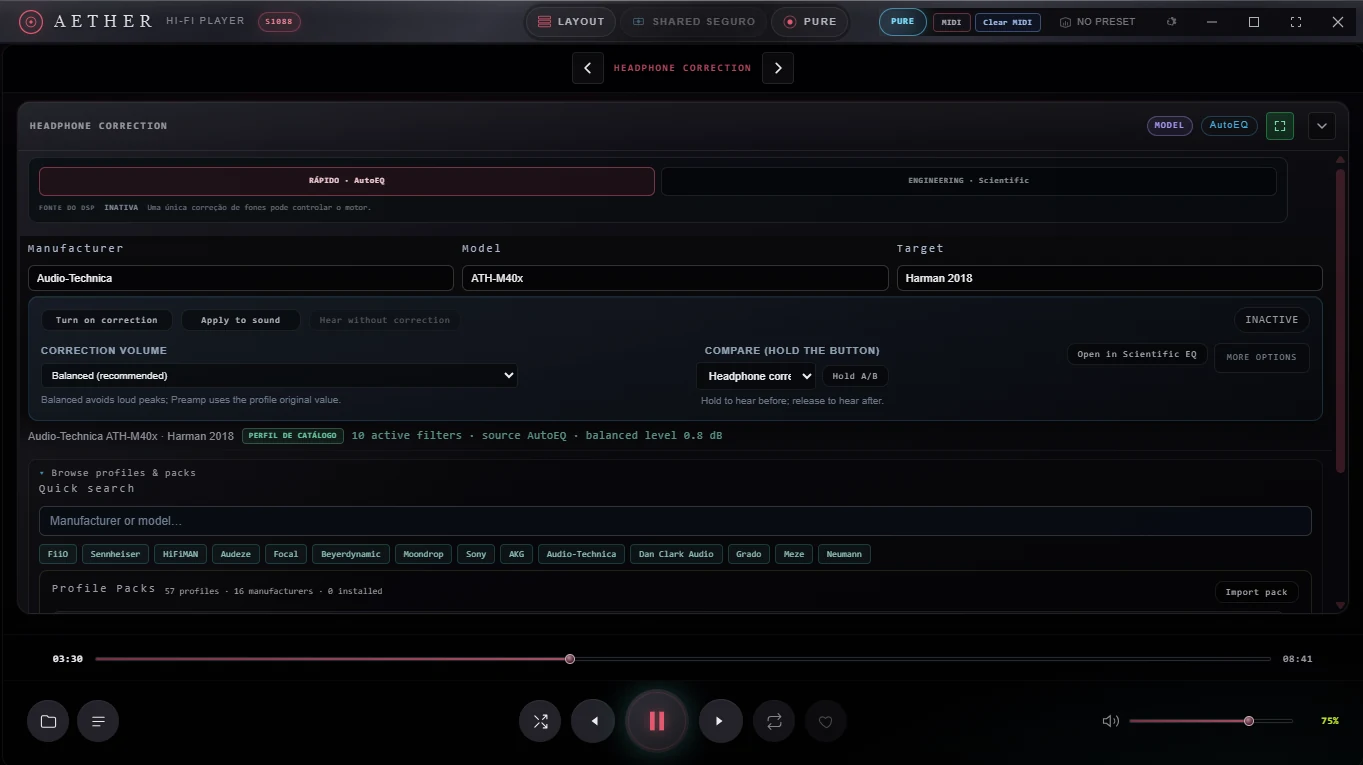
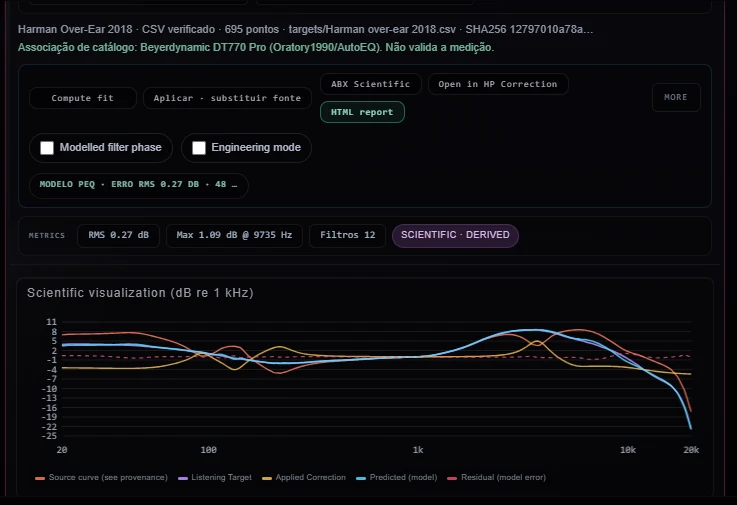
AutoEQ supplies the measured headphone model. Scientific Target defines the intended response. AETHER exposes the resulting filters, predicted curve, residual error, headroom and processing state so the stages complement one another without hiding redundant correction.
Each band exposes frequency, gain and Q with a combined response curve, live band-energy feedback and direct MIDI mapping. Mappings can live with the active gear profile so a physical controller returns with the rest of the system.
These studio scenes place actual AETHER workflows in representative listening environments. Product screens throughout the site are direct captures from the current beta.
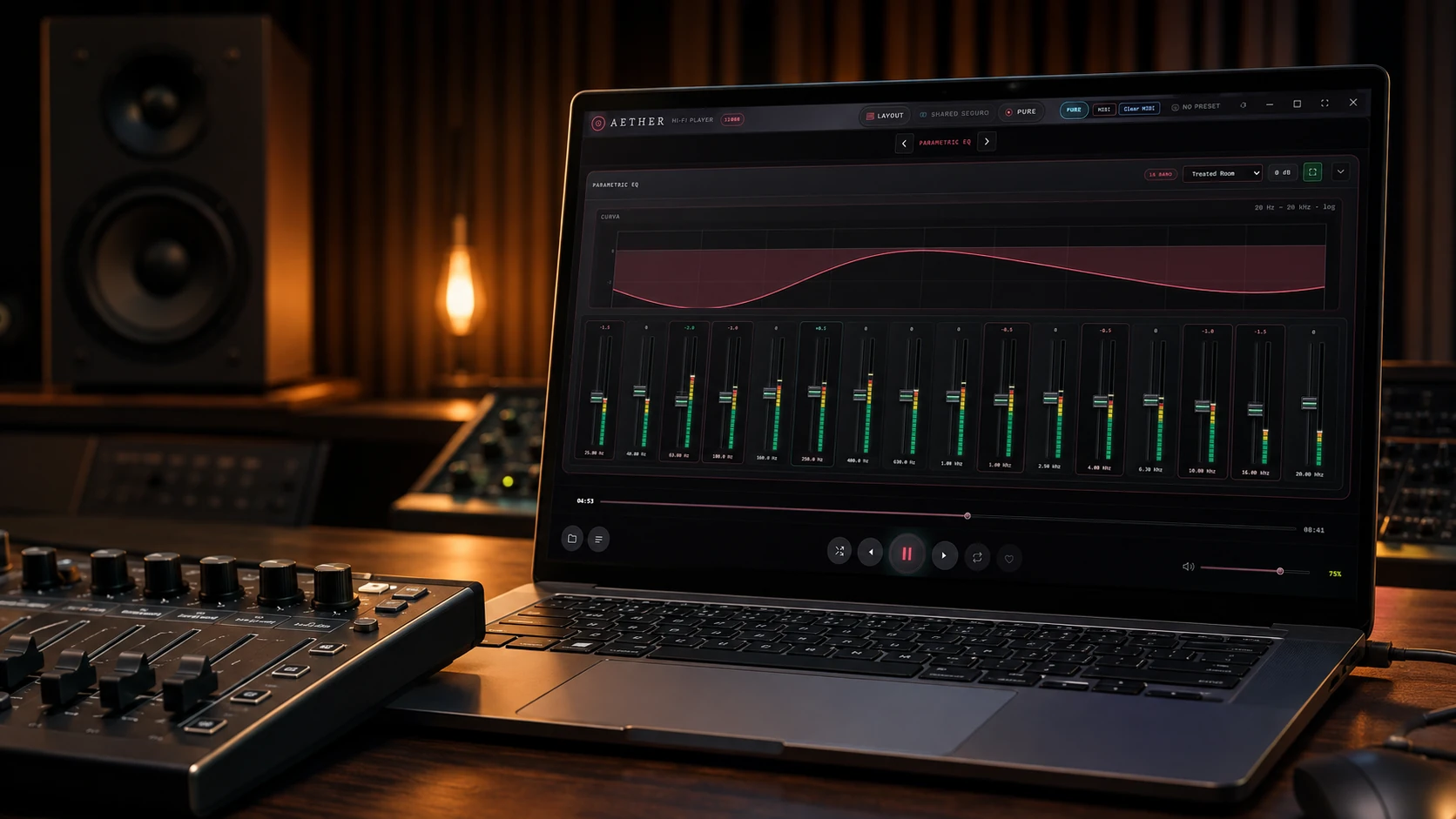
Map transport and supported processing controls to a MIDI surface. The 16-band parametric EQ keeps frequency, gain, Q and the combined response visible while the controller becomes part of the saved listening setup.
Representative studio scene · AETHER interface based on a real product capture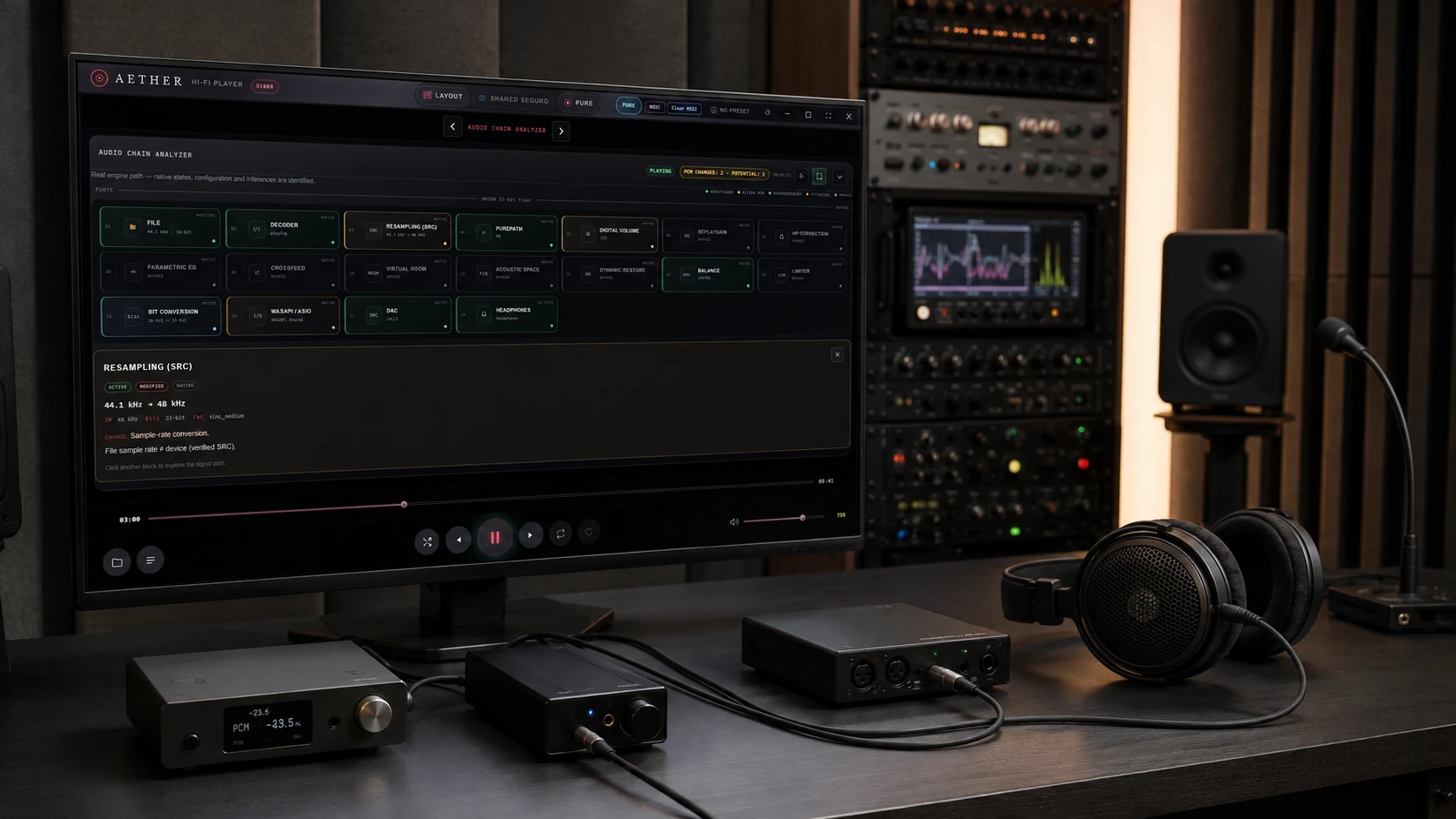
Trace the file, decoder, sample-rate conversion, PurePath, gain, correction, spatial processing, plugins, driver and output device. Verified, modified and bypassed states remain explicit.
Representative studio scene · signal path from the current beta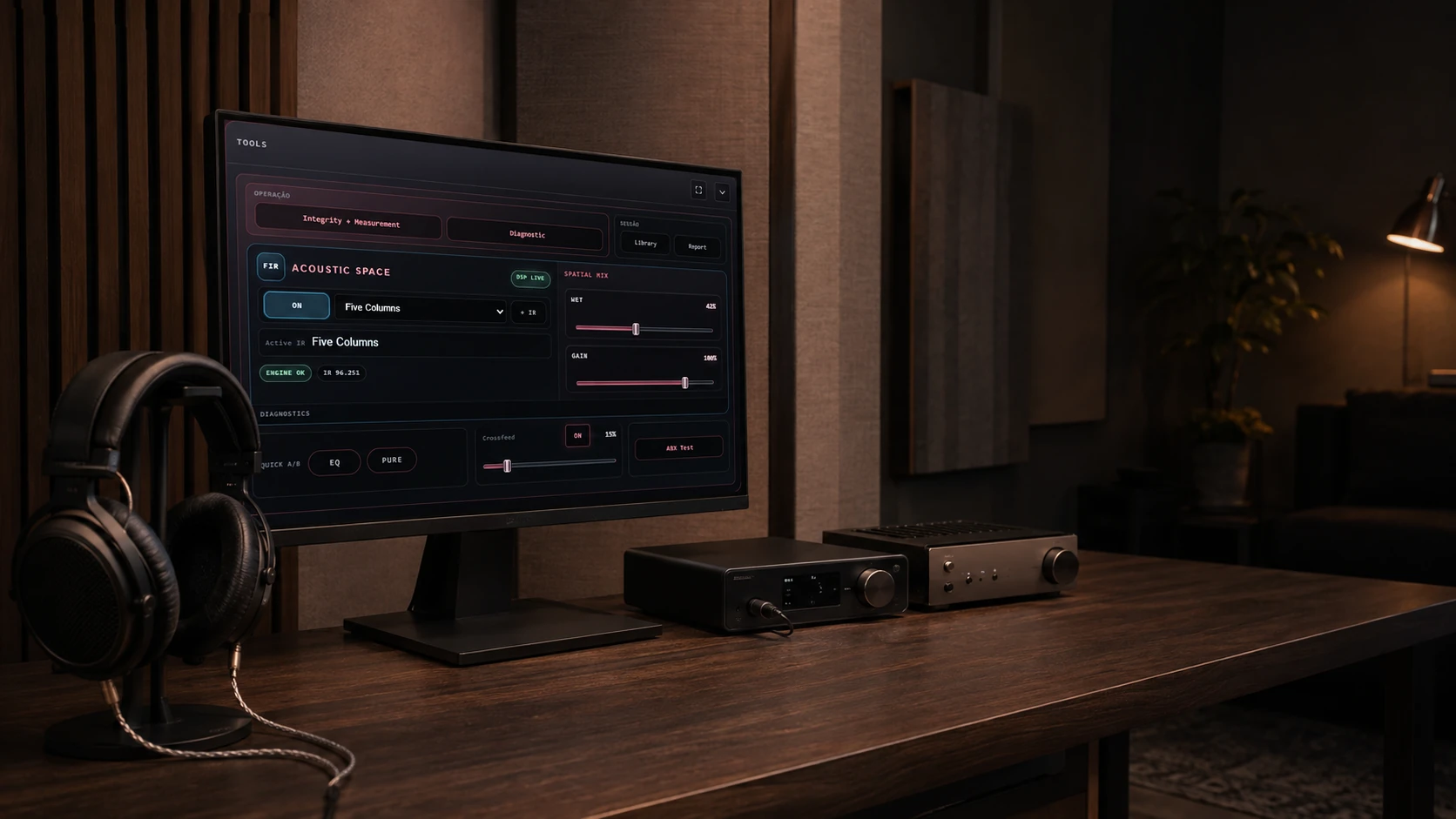
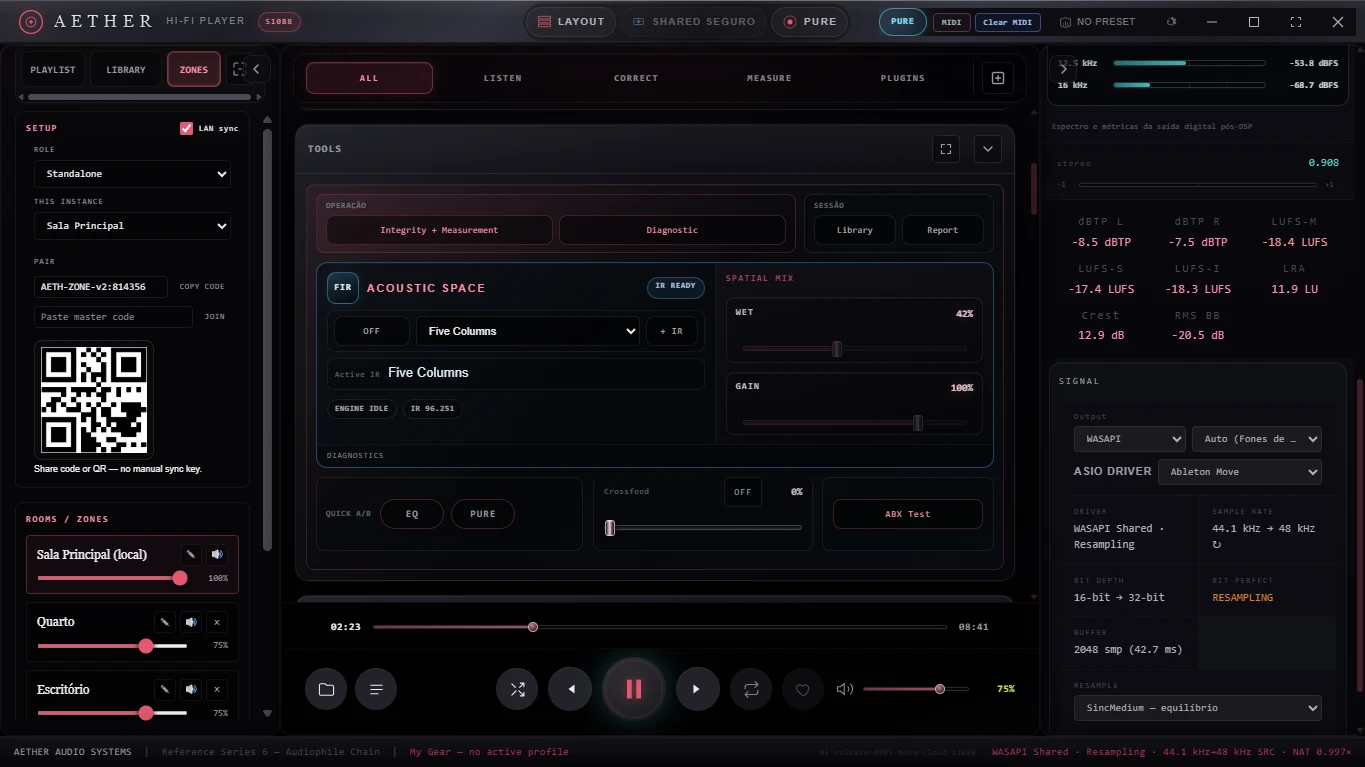
Load AETHER’s local impulse responses, including Five Columns and Echo Hall, then set Wet and Gain with the active file and engine state in view. The IR choice can return with My Gear or a Zone.
Representative listening room · no hardware endorsement impliedAETHER’s Impulse Response engine applies the captured behavior of a room, cabinet, device or acoustic system as a deliberate DSP stage. The active IR, mix and gain remain visible throughout the session.
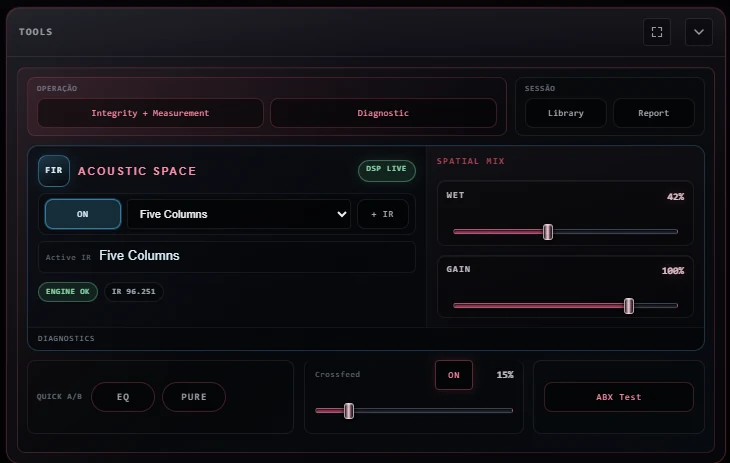
Add an impulse response, select it from the library and always see which file is active.
Wet controls the contribution of the convolved signal. Output gain keeps comparison levels under control.
Use bypass and the integrated ABX workflow to judge the effect without relying only on expectation.
Store IR selection, Wet, Gain and related DSP state with My Gear or a Zone preset.
Designed to process longer responses efficiently while keeping the interface responsive.
The core parameters remain explicit and available for repeatable setup.
Level-aware comparison plus visible engine and active-response status.
Results depend on the source IR. AETHER does not treat every response as corrective or neutral.
An IR is not automatically an improvement. It can recreate a measured acoustic signature, simulate a cabinet or form part of a correction workflow. Accuracy depends on the measurement, sample rate, channel layout, normalization and intended use of the impulse response.
The central analysis workspace and side analyzer are independent. Each can show a different instrument while reading a defined point in the signal path.
AETHER distinguishes requested settings from verified signal conditions. “Bit-perfect” only makes sense when sample rate, output mode, volume and every processing stage support that result.
Transparent by design. Shared-mode resampling, digital gain, correction, convolution and other processing are disclosed as modifications. Reports describe the observed path; they are engineering evidence, not a substitute for independent laboratory certification.
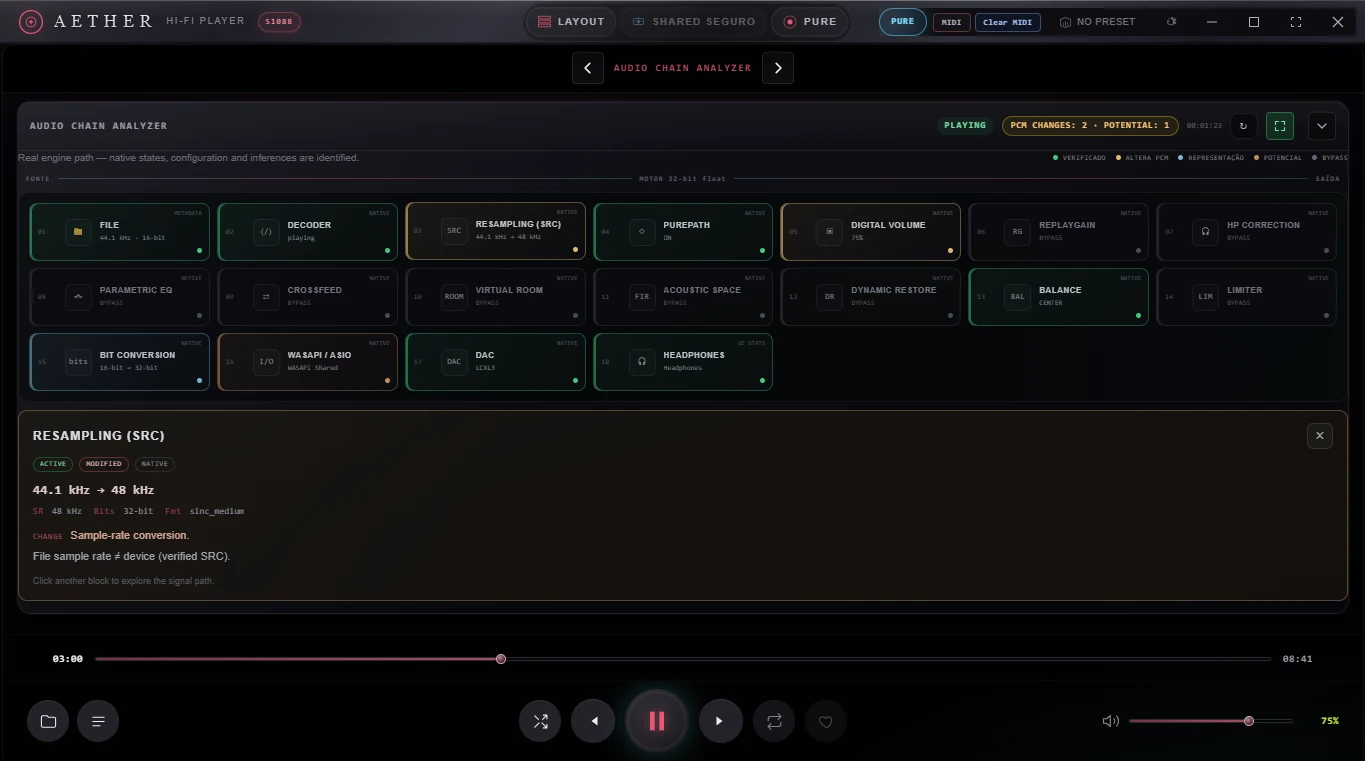
Source codec and rate, decoder, sample-rate conversion, output mode, digital volume, active DSP and bit-perfect eligibility.
LUFS M/S/I, LRA, true peak, RMS, crest factor, correlation and the availability of a loopback measurement endpoint.
Human-readable HTML and accessible PDF reports with methodology, status classes, build identity and technical details translated with the interface.
AETHER exposes processing as an intentional chain, with clear bypass state and diagnostics instead of invisible enhancement.
Foundation features. The local collection supports albums, artists, persistent playlists, queue recovery, artwork and tag editing. Playback covers FLAC, WAV, AIFF, ALAC, MP3, AAC/M4A, OGG and Opus, plus device-dependent DSD/DoP. These are the foundation beneath AETHER’s differentiating systems.
Direct captures from AETHER show the working interface and the role of each system. No concept UI is presented as a shipping feature.
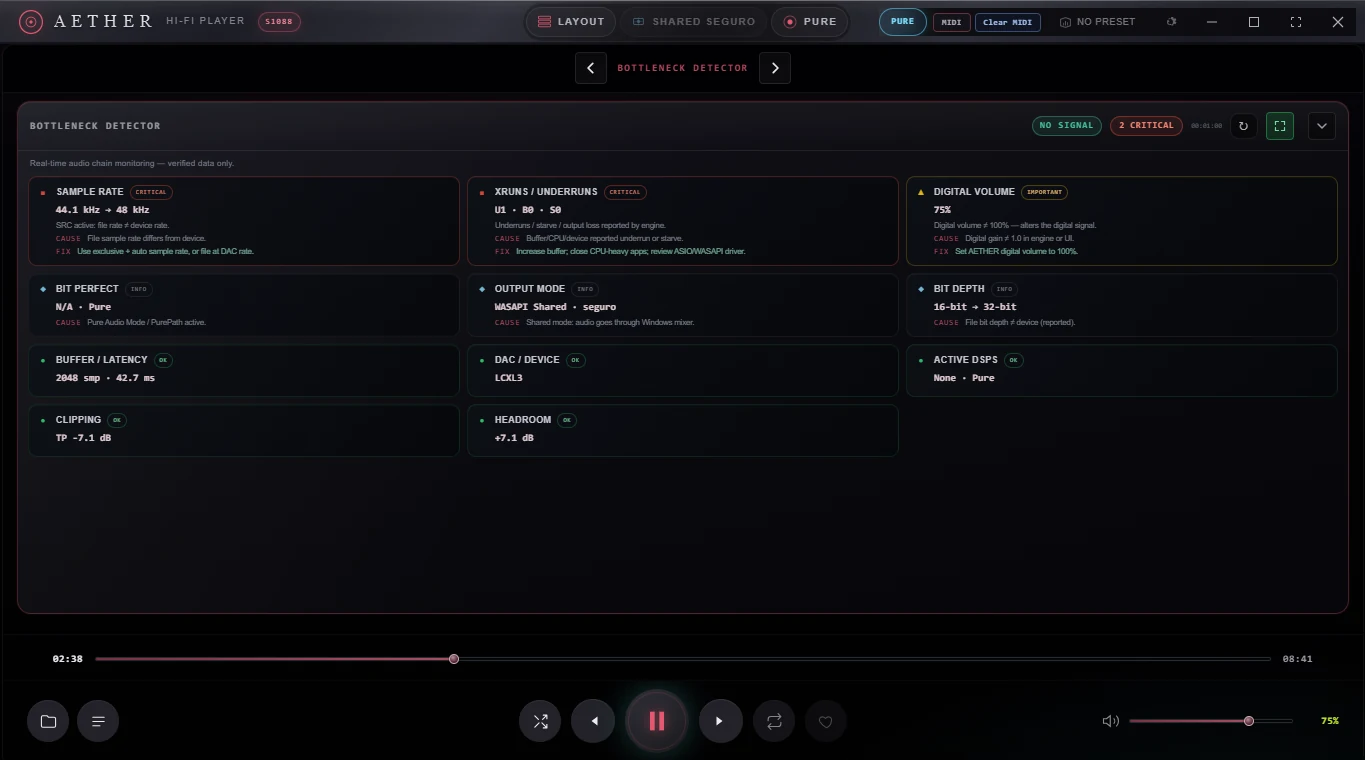
Turns the active chain into actionable findings. Critical, important and informational states identify the cause, explain the consequence and suggest the next step without duplicating the visual signal-path view.
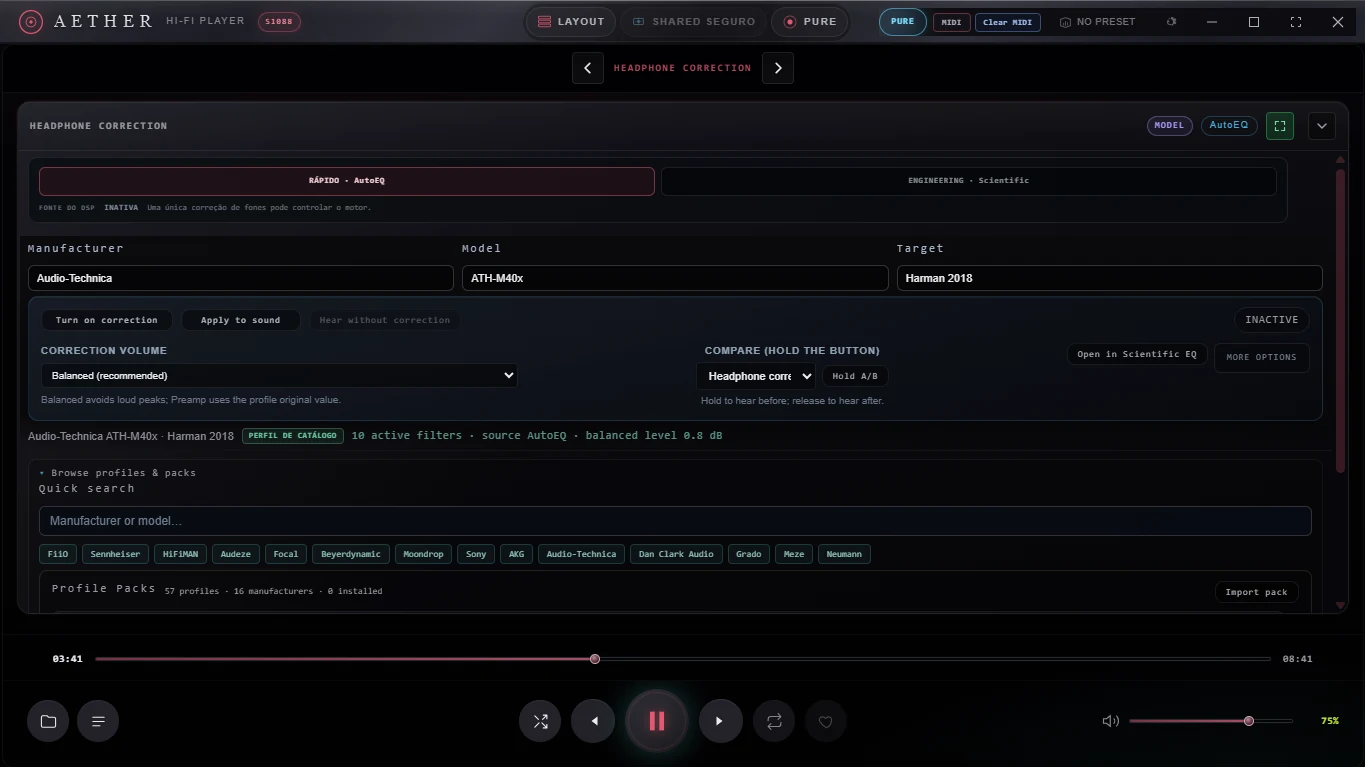
Select a local measurement profile and inspect the correction, target relationship, gain management and comparison state. The bank remains local and available without uploading a listening library.
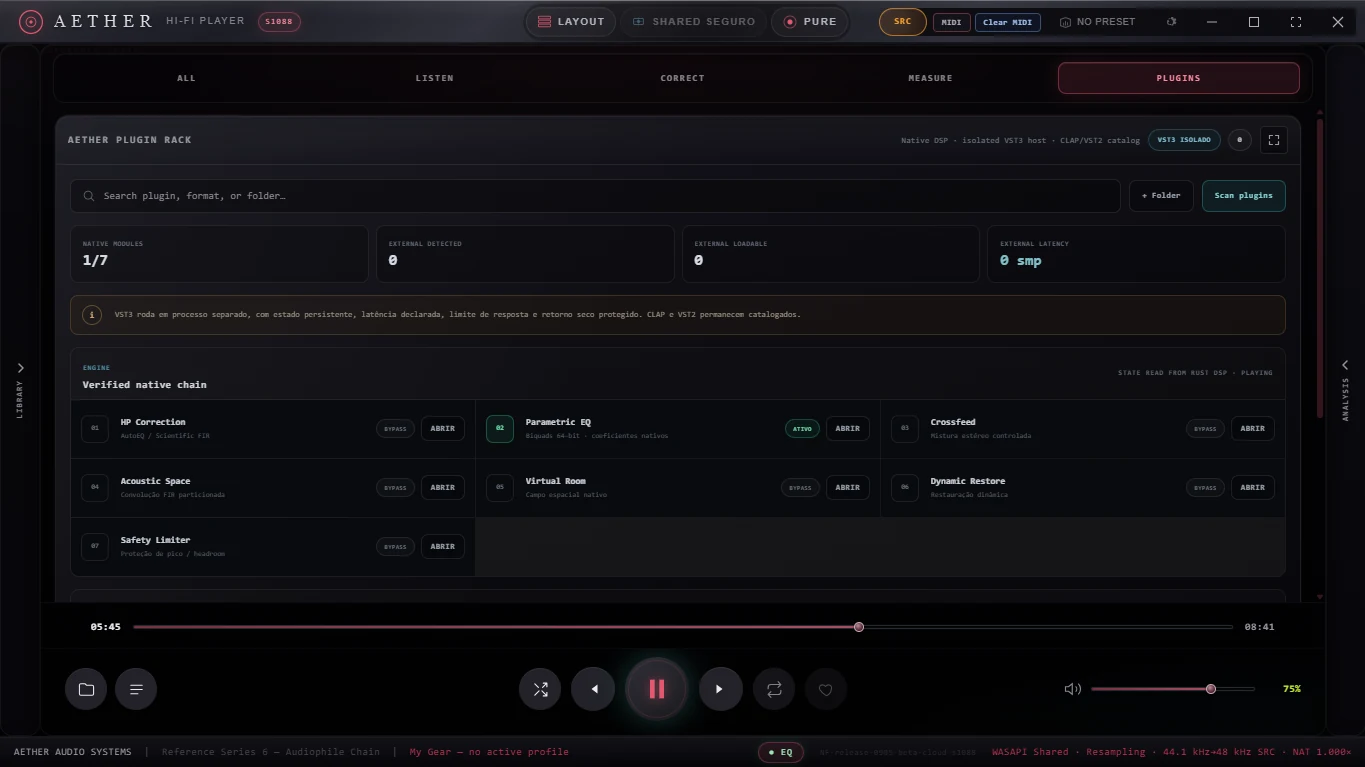
Discover compatible VST3 effects, arrange the processing order, bypass a stage and open its native editor where the plugin supports it. Compatibility still depends on each vendor and plugin architecture.
Expose target, predicted response, residual error, filters and methodology in a reviewable report. Status classes distinguish passed, failed, informational and not-verifiable results.
Keep convolution beside crossfeed, diagnostics, library and reporting controls. Wet, Gain, selected IR and engine status describe exactly what the spatial stage is doing.
Choose one analyzer in the central workspace and another in the side panel. StageMap presents a frequency-aware stereo field while the side instrument can remain on RTA, spectrum, Lissajous or another available view.
Join a controlled 30-day test with your own audio system. The first wave is limited to 200 participants so every observation can be reviewed.
The beta is free. If AETHER is useful to you, an optional contribution helps us test more hardware and obtain Authenticode signing.
Support the project →Save this activation code. It starts the 30-day period when first activated in AETHER.
Windows SmartScreen may show “Unknown publisher.” Download only from this official page, then verify the SHA-256 checksum before opening the file.
Windows 10/11 · 64-bit · Up to two devices · Five downloads · Native IR, AutoEQ and Scientific Target libraries included.
Clear reproduction steps help us fix audio, device, interface and compatibility problems. Do not include music files, private paths or personal information.
The current independent Beta does not yet have an Authenticode certificate. Windows SmartScreen may therefore identify the publisher as unknown even when the file is unchanged.
Download AETHER only from this page. Avoid copied installers or third-party mirrors.
Compare the file checksum with the release record before running the installer.
Open checksumsThe release manifest records build identity, file size, native banks and clean-profile validation.
Open release manifestUnsigned does not mean hidden. It means Windows cannot yet verify AETHER through a paid code-signing identity. The project publishes cryptographic hashes and a release manifest while Authenticode funding and validation are completed.
Contributions fund device testing, code signing, accessibility work and the long hardware validation sessions required by serious desktop audio.
Support code signing, hardware testing, accessibility and continued independent development. The AETHER Beta remains free whether you contribute or not.
Contributions are voluntary, one-time support for development. They do not purchase equity, guarantee features or replace a future software license. Stripe processes payment details; AETHER does not receive card numbers.
No. AETHER implements engineering-oriented measurement and integrity diagnostics, but the current beta should not be presented as independently certified laboratory equipment.
No application can promise that for every configuration. AETHER reports bit-perfect only when the observed route supports it: compatible source and output rates, suitable exclusive or ASIO path, unity gain and no active DSP.
The current build uses MIDI Learn to control transport, EQ and mapped parameters. It does not currently provide a Standard MIDI File sequencer or built-in instrument.
VST3 hosting is in beta. Compatibility varies by vendor, architecture, channel layout, user interface and copy-protection system. Unsupported plugin formats should not be treated as active processing.
AETHER is designed around local audio. A final public privacy notice will document optional online services, diagnostics and support flows before public distribution.